
Introduction
Home and business security has become an important priority for property owners who want to monitor their surroundings and protect valuable belongings. A wireless camera with monitor provides a convenient way to view live camera footage, check activity around a property, and review recorded videos from a dedicated screen.
Unlike traditional surveillance systems that may require extensive video cabling, many wireless camera systems transmit footage directly to a monitor or recording hub. This can simplify installation and make security monitoring easier for homeowners, shopkeepers, office managers, and other users.
Whether you want to monitor your entrance, driveway, backyard, office, or retail space, choosing the right system involves understanding camera resolution, night vision, recording options, wireless range, and monitor quality.
What Is a Wireless Camera with Monitor?
A wireless camera with monitor is a surveillance system that combines one or more cameras with a dedicated screen for viewing live footage and, in many systems, accessing recordings.
The cameras transmit video wirelessly to a compatible monitor or receiver. Depending on the model, the system may also include a recording device, built-in storage, motion detection, and mobile app access.
One important detail is that wireless does not always mean completely wire-free. Many cameras still require a power adapter or cable, while battery-powered models offer more flexible placement. Some systems can operate locally without internet access, but remote viewing generally requires an internet connection.
Key Benefits of a Wireless Camera with Monitor
1. Convenient Live Monitoring
A dedicated monitor lets users check camera feeds without opening a smartphone application. This is particularly useful for reception desks, retail counters, offices, and homes where someone needs to monitor activity throughout the day.
2. Easier Installation
Wireless video transmission reduces the need to run long video cables between cameras and a recorder. This can make installation more convenient in existing buildings where adding cables through walls is difficult.
3. Multiple Camera Viewing
Many systems support several cameras and allow users to view multiple feeds on one screen. This helps property owners monitor different areas, such as entrances, parking spaces, hallways, and outdoor boundaries.
4. Night Vision for Low-Light Conditions
Infrared night vision helps cameras capture footage in darkness. Some advanced models also offer color night vision or built-in lights that improve visibility when motion is detected.
5. Recording and Playback
Depending on the system, recordings can be stored on an internal hard drive, memory card, or cloud service. Recorded footage can help users review incidents or understand activity that occurred while they were away.
6. Flexible Monitoring Options
Some systems offer both local monitor access and remote viewing through a mobile app. This allows users to check their property from the dedicated screen when nearby or through a phone when away, provided the system supports internet access.
Important Features to Consider Before Buying

Choosing the right camera system starts with identifying where it will be used and what you need it to capture.
- Video resolution: Full HD 1080p is a useful starting point for general monitoring, while higher-resolution models can provide more detail.
- Monitor size: A larger screen can make viewing multiple camera feeds easier.
- Wireless range: Check the manufacturer’s stated range and consider walls, floors, and other obstacles.
- Night vision: Choose a suitable night-vision option for areas that need monitoring after dark.
- Motion detection: Detection alerts can help users focus on relevant activity rather than continuously reviewing footage.
- Storage capacity: Check whether a hard drive or memory card is included and how much recording space is supported.
- Weather resistance: Outdoor cameras should have an appropriate weather-resistance rating.
- Power supply: Decide whether mains-powered, rechargeable battery, or solar-assisted cameras suit your installation.
- Privacy and security: Use strong passwords, install firmware updates, and choose secure access settings.
Types of Wireless Camera Systems with Monitors
Different systems suit different properties and monitoring requirements.
| Camera System Type | Best Use | Main Advantage |
|---|---|---|
| Indoor wireless camera | Living rooms, offices, and hallways | Convenient indoor monitoring |
| Outdoor wireless camera | Entrances, gardens, and driveways | Designed for outdoor conditions when appropriately rated |
| Multi-camera monitor kit | Homes, shops, and small businesses | Multiple camera feeds on one screen |
| Battery-powered camera system | Locations with limited wiring | Flexible placement |
| Pan-and-tilt camera | Areas requiring adjustable viewing angles | Can cover a wider area through remote movement |
Before purchasing, confirm that the cameras and monitor are compatible. Products described as wireless may use different communication technologies and may not work together across brands.
How to Choose the Right Wireless Camera with Monitor for Your Property
For Home Security
For a home, consider cameras covering the main entrance, garage, driveway, and other important access points. A system with clear video, night vision, motion alerts, and straightforward playback is often a practical choice.
If you want to monitor several areas simultaneously, select a monitor kit that supports enough cameras for your property and allows expansion later.
For Shops and Small Businesses
Business owners may benefit from a larger monitor, multiple camera channels, and sufficient recording storage. Position cameras to cover entrances, checkout areas, stockrooms, and other relevant spaces while respecting employee and customer privacy.
For Offices and Workshops
Offices and workshops may require cameras with reliable wireless connections, clear images, and suitable indoor or outdoor protection. In larger buildings, test the wireless signal at each proposed camera location before finalizing installation.
For Properties Without Reliable Internet
A compatible local recording system may allow live viewing and recording without an internet connection. However, this depends on the specific equipment. Remote viewing, cloud storage, and online notifications may not work offline.
Tips for Installing and Maintaining Your Camera System
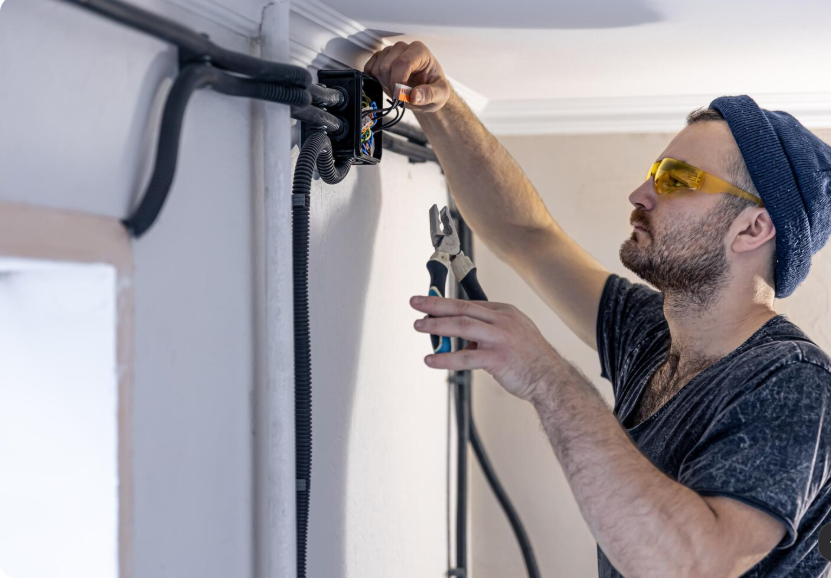
Correct installation can improve the usefulness and reliability of a security system.
- Plan camera locations: Identify important entrances and areas that need coverage before mounting equipment.
- Test wireless connectivity: Check the connection between each camera and the monitor from its intended location.
- Choose suitable mounting positions: Place cameras where they have a useful field of view and are protected from unnecessary damage.
- Check night-time performance: Test the image after dark to confirm that the camera can capture useful details.
- Configure recording settings: Choose continuous recording or motion-triggered recording according to your needs and storage capacity.
- Secure your system: Change default passwords, update software, and limit access to trusted users.
- Inspect equipment regularly: Check power supplies, camera lenses, storage capacity, and battery levels where applicable.
For outdoor installation, follow the manufacturer’s mounting and weather-protection instructions. A backup power supply may also help keep the monitor and recording equipment operating during short power interruptions.
Common Mistakes to Avoid When Buying a Wireless Camera System
Avoid choosing a system based on price or resolution alone. A high-resolution camera will not deliver reliable results if its wireless connection is unstable or its placement is poor.
Other common mistakes include buying a monitor that supports too few cameras, overlooking storage requirements, assuming every system works without internet, and failing to check whether the cameras require separate power cables.
It is also important to review any subscription requirements before buying. Some systems provide local recording without a monthly cloud-storage fee, while other features may require a paid plan.
Conclusion
A wireless camera with monitor can be a practical security solution for homes, offices, shops, and other properties. By combining wireless video transmission with a dedicated display, these systems can make it easier to monitor multiple locations and review footage when necessary.
The best choice depends on your property size, camera placement, video quality requirements, wireless coverage, storage needs, and budget. Compare these features carefully, confirm compatibility, and prioritize secure installation.
With the right equipment and regular maintenance, a well-planned camera system can support everyday security monitoring and provide greater visibility around your property.
Frequently Asked Questions (FAQs)
What is a wireless camera with monitor used for?
It is used to monitor a property through live video displayed on a dedicated screen. Depending on the model, it can also record footage, detect motion, and provide remote access.
Can a wireless camera with monitor work without Wi-Fi?
Some systems can transmit video directly to their paired monitor and record locally without an internet connection. Features such as remote viewing and cloud storage may require internet access.
Do wireless security cameras need a power cable?
Some models use power adapters or wired power supplies, while battery-powered and certain solar-assisted models offer greater flexibility. Check the power requirements of each camera before installation.
How many cameras can connect to one monitor?
The number depends on the system. Some kits support only a few cameras, while others support multiple channels. Check the supported camera count and compatibility before purchasing.
What features matter most when choosing a wireless camera with monitor?
Important features include video resolution, monitor size, wireless range, night vision, motion detection, recording capacity, power options, and secure remote access. Choose the features that best match your property’s monitoring needs.
| Read more: Vinyl Plank Layout Patterns |
One thought on “Wireless Camera with Monitor: A Complete Guide to Modern Security Systems for Homes and Businesses”